
Download Arasan – chess game, 2D chess, chess engine, computer chess, chess tournament
Overview
Arasan is a 2D chess game designed for smartphone users seeking a reliable and competitive chess experience. Built on a foundation of tournament-level performance, the app leverages a chess engine that has participated in multiple computer chess tournaments, establishing its credibility among enthusiasts and competitive players. The application serves as both a standalone chess platform and a compatible engine for external tools like Winboard and Arena, offering versatility for users across different technical skill levels.
Its primary purpose is to deliver fast, responsive gameplay with customizable settings, making it suitable for casual players and serious strategists alike. The target audience includes chess lovers who value precision, speed, and adaptability in their digital chess tools. While the developer, Arasan Chess, has not provided extensive background details, the app’s focus on performance and integration suggests a technical, user-driven approach.
Real-world use cases include practice sessions, time-limited games, and game analysis, particularly for users who prefer to save and revisit ongoing matches. In the broader mobile app ecosystem, Arasan stands out as a specialized utility for chess players who prioritize engine quality and flexibility over flashy graphics.
Key Features & Functionality
- Tournament-Level Performance: The core engine has competed in official computer chess tournaments, delivering a high standard of play. This makes Arasan ideal for users aiming to test their skills against a strong, consistent opponent.
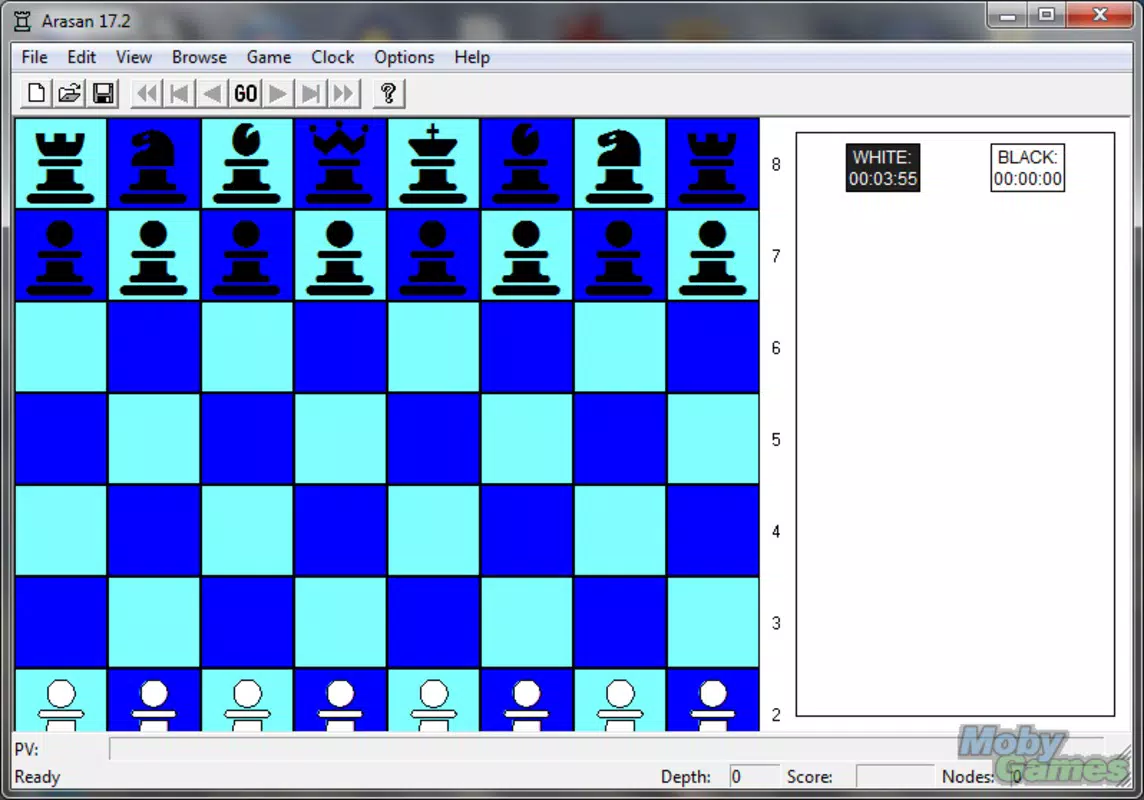
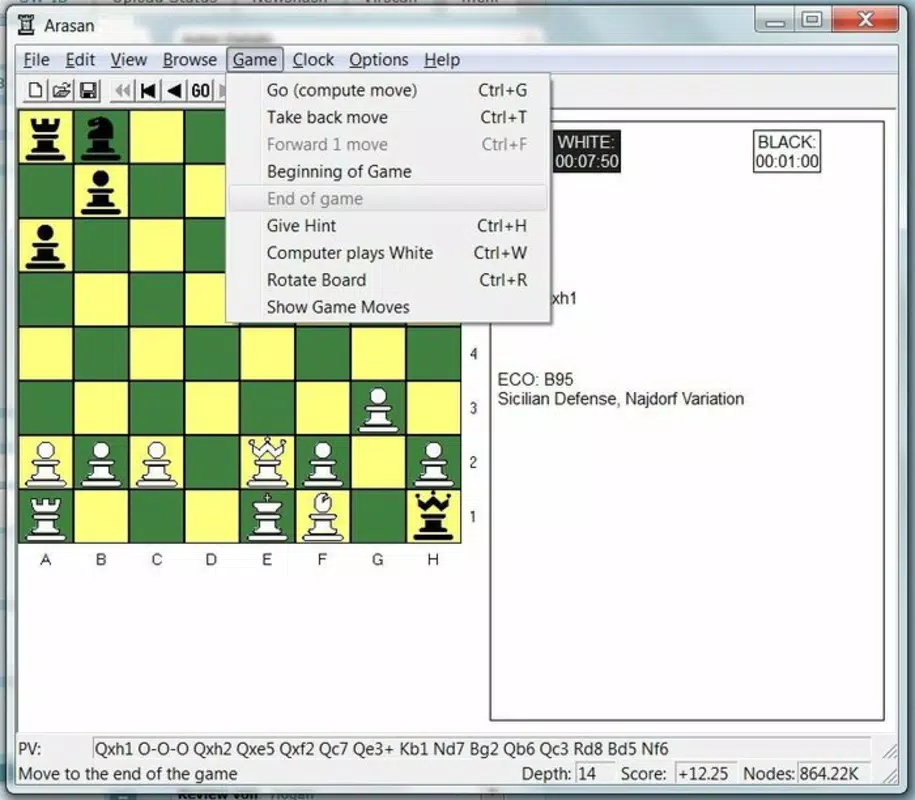
- Customizable Game Board: Players can modify the board’s size, shape, and color scheme to suit personal preferences, enhancing visual comfort and immersion during long sessions.
- Quick Response Time: Engine responses are optimized for speed, minimizing wait times and ensuring smooth gameplay without interruptions.
- Game Saving & Resume Functionality: Ongoing games can be saved and resumed later, supporting flexible play for users with busy schedules.
- Move Undo and Timer Pause: Players can undo moves and pause the game clock, providing greater control during critical decision-making moments.
- Compatibility with External Platforms: Arasan can be used alongside popular chess tools such as Winboard and Arena, expanding its utility for advanced users who integrate multiple applications.
These features cater to both beginners learning the game and experienced players seeking a robust, no-frills chess environment. For instance, a user preparing for a local tournament might use Arasan to simulate high-pressure scenarios with a strong engine. Similarly, someone with limited time can save a game and return to it later without losing progress. The integration with external platforms allows developers and analysts to use Arasan’s engine within larger chess analysis workflows.
Interface, UX & Performance
The app presents a clean, minimalistic interface focused on gameplay efficiency. The 2D chessboard is rendered with clarity, prioritizing functionality over visual embellishment. Navigation is straightforward, allowing users to access settings, save games, and manage timers with minimal effort.
The layout supports intuitive interaction, with pieces responding promptly to touch inputs. Although the developer did not list formal performance metrics, the app’s emphasis on quick response time suggests optimized code execution across various device categories. Users can expect consistent responsiveness, particularly on mid-to-high-end Android devices.
Stability appears to be a priority, as the ability to save and resume games implies robust state management. The app’s lightweight size of 12.5 MB further supports efficient performance, reducing memory overhead and ensuring smooth operation even on older hardware. While specific compatibility details were not disclosed, the design indicates broad adaptability across screen sizes and resolutions.
Overall, the user experience is tailored toward players who value speed, control, and reliability over elaborate animations or multimedia elements.
Platform Compatibility & Technical Requirements
Arasan is available on the Android platform and requires no specific minimum OS version to be listed. The app’s file size is 12.5 MB, indicating a lightweight footprint that contributes to faster downloads and efficient storage use. This makes it accessible to users with limited device space or slower internet connections.
The developer did not specify minimum OS requirements or hardware specifications, so compatibility with older or newer Android versions remains unconfirmed. However, the app’s simplicity and small size suggest it is likely to function on a wide range of Android devices. Users are advised to ensure their device meets standard Android app requirements for installation.
The version number is 1.0, indicating an initial release that may see future updates to enhance features or improve stability. As the app is free to download and install, accessibility is maximized for a broad audience.
Pros and Cons
Pros
- Strong tournament-tested chess engine for competitive gameplay
- Customizable board settings for personalized experience
- Fast response time ensures smooth and uninterrupted play
- Supports saving and resuming games for flexible use
- Compatible with external chess platforms like Winboard and Arena
- Lightweight design at only 12.5 MB
- Free to download and use
Cons
- Developer did not provide detailed system requirements
- Interface may appear minimalistic to users expecting rich visuals
- No information on regular update frequency
- Compatibility with older Android versions not confirmed
- Limited information on in-app features beyond core gameplay
FAQ
Is Arasan safe to download and install?
Yes, Arasan is a free mobile app available through official Android channels. It does not require special permissions beyond basic device access, and its lightweight size reduces potential security risks.
Can I play Arasan offline?
Yes, the app does not require an internet connection to function. All gameplay, saving, and engine processing occur locally on the device.
Is Arasan compatible with other chess software?
Yes, Arasan can be integrated with external platforms such as Winboard and Arena, allowing users to leverage its engine within broader chess workflows.
How often is Arasan updated?
The developer has not disclosed the update schedule. However, the initial release version is 1.0, suggesting ongoing development may follow.
Does Arasan support multiplayer games?
Based on available information, Arasan primarily functions as a single-player chess app with a strong AI opponent. There is no indication of built-in multiplayer functionality.
Final Thoughts
Arasan delivers a focused, high-performance chess experience tailored for users who prioritize engine quality and flexibility. Its tournament-proven engine, quick response time, and compatibility with external tools make it a valuable utility for serious players and chess enthusiasts. The customizable interface and game-saving features add practical value, especially for those with limited time.
While the app lacks detailed technical disclosures, its lightweight design and free access enhance its appeal. For anyone seeking a reliable, no-nonsense chess app on Android, Arasan offers a compelling mix of power and simplicity. Whether you're practicing strategy, analyzing positions, or testing your skills against a strong opponent, this app provides the tools needed.
Download Arasan now.


